AI Agents are software systems that can pursue a goal, choose steps, use connected tools, and act with limited autonomy. Unlike a basic chatbot that mainly answers questions, an agent can inspect information, decide what to do next, and complete parts of a workflow. That capability can reduce manual work, but it also creates new questions about permissions, oversight, cost, and accountability.

Table of Contents
- What AI Agents Are and How They Work
- Choosing the Right Job for an AI Agent
- Building Agents That Can Act Safely
- Governing Risk, Cost, and Accountability
- Key Takeaways
- Frequently Asked Questions
What AI Agents Are and How They Work
An AI agent is a software system that works toward an objective by interpreting information, making decisions, and using tools. The model behind it may be a large language model, but the model alone is not the agent. The agent also needs instructions, access to data, a tool layer, memory rules, permissions, and limits on what it may do.
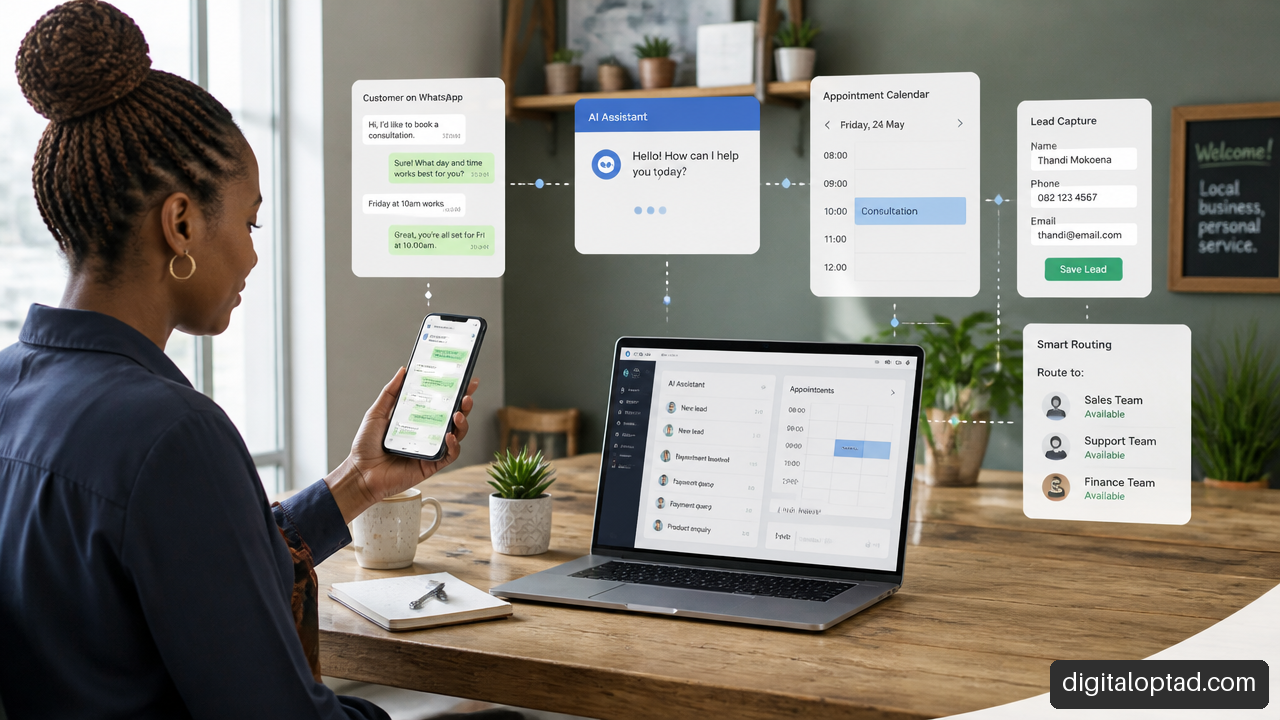
Put simply, a chatbot is often like a helpful receptionist: it responds when someone asks a question. An AI agent is closer to an operations assistant with a defined task. It may read an incoming request, check a database, prepare a response, update a record, and ask for approval before sending anything externally.
IEEE-USA describes agentic AI systems as generative-model-powered programs that can use tools, services, and data to take actions without every business rule being fully hardcoded. Its agentic AI policy submission to NIST highlights this important distinction: the system can select among available actions rather than simply follow one fixed path.
The Agent Loop: Observe, Decide, Act, Check
Most useful agents follow a repeating operating cycle:
- Observe: The agent receives a request, event, document, system alert, or data record.
- Interpret: It identifies the task, relevant constraints, and information it may need.
- Plan: It breaks a broad goal into smaller steps, such as searching records before drafting a reply.
- Use tools: It calls an approved API, queries a database, reads a file, creates a draft, or triggers a workflow.
- Check results: It confirms whether the tool worked, compares the outcome with the goal, and either continues or stops.
- Escalate when needed: It requests human input when confidence is low or the next action has meaningful consequences.
Consider a service business receiving an email asking for an appointment change. A narrowly designed agent could identify the customer, check availability, prepare alternative times, and create a draft reply. It should not necessarily confirm the booking by itself. That decision depends on the business rules, customer commitments, and cost of getting it wrong.
Tools Turn Language Into Real Action
Tool use is what makes AI Agents operational. The tools may include:
• A customer relationship management system
• An email platform
• A calendar
• An inventory or accounting application
• A document repository
• A web browser with tightly controlled access
• APIs, webhooks, and internal business systems
The agent should not receive broad access merely because it might need it later. Instead, each tool should expose only the functions required for the task. An agent that checks order status may need read access to shipping records. It does not need authority to refund payments, delete accounts, or change staff permissions.
Memory Is Useful, but It Is Not Neutral
Agent memory can make a workflow more helpful. It may retain customer preferences, prior decisions, task status, or approved business rules across sessions. But persistent memory can also become a control point that affects future actions.
If incorrect or malicious information enters memory, the agent may repeatedly rely on it. For example, a note hidden in a retrieved document could instruct the agent to prioritize a particular supplier or disclose internal information. That is why memory should be treated like business data: scoped, reviewed, time limited, and auditable.
An agent should remember only what it needs to complete an approved task. More memory may improve convenience, but it can also widen privacy and security exposure.
Choosing the Right Job for an AI Agent
AI Agents are most useful when a workflow has variation that is hard to capture with rigid rules, but still has clear boundaries. They are not the best answer to every automation problem.
AI Agents Versus Ordinary Workflow Automation
Conventional automation works well when every step is known. For example, when an online form is submitted, a workflow can create a ticket, send an acknowledgment, and assign the ticket to a team. That process is predictable, measurable, and easy to test.
An agent becomes more useful when the input is messy or the next step depends on context. A customer email may contain multiple requests, incomplete details, and unclear wording. The agent can classify the request, extract key facts, check relevant policies, and route it to the right process.
| Situation | Better Fit | Why |
|---|---|---|
| A form submission always follows the same path | Standard automation | Fixed logic is easier to test and maintain |
| Messages arrive in many formats and need interpretation | AI agent with narrow tools | Language understanding helps classify and prepare work |
| A payment must be released | Approval gated workflow | Financial impact requires independent verification |
| A report needs data from several systems | Agent or hybrid workflow | The agent can coordinate retrieval and summarize findings |
| A database field needs a routine nightly update | Standard automation | There is little value in autonomous planning |
The strongest designs are often hybrid. Standard automation controls the stable steps, while an agent handles interpretation, triage, drafting, or exception handling. This keeps the system understandable and avoids using autonomy where a reliable rule would do better.
Start With a Narrow, Observable Workflow
A sensible first deployment has four traits:
• A clear outcome, such as routing support requests or preparing document summaries
• A small number of approved tools
• Low consequences if the agent makes an error
• A visible audit trail that shows what the agent read, decided, and changed
For instance, an internal knowledge assistant that finds policy documents and drafts answers is generally easier to control than an agent authorized to negotiate contracts. The first task is largely informational. The second can create legal, financial, and reputational consequences.

Use Reversibility to Set the Autonomy Level
One practical way to decide how much autonomy an agent should have is to ask a direct question: Can we reverse this action safely and quickly?
| Capability Tier | Example Actions | Recommended Control |
|---|---|---|
| Read only | Search records, summarize documents, identify trends | Logging and output review |
| Reversible write | Create a draft, tag a ticket, add a proposed calendar event | Audit log and simple rollback |
| Approval gated action | Send a customer email, publish content, update a production record | Human approval immediately before execution |
| High impact or hard to reverse action | Release funds, cancel service, delete data, sign agreements | Separate authorization, validation, and strong human control |
This is not a universal industry standard. It is a practical decision method. The same action may fall into different tiers depending on context. Updating a noncritical internal note is not the same as updating a patient record, a legal filing, or a payroll system.
Building Agents That Can Act Safely
Safe design is less about finding a perfect model and more about controlling the full system around it. The agent’s instructions, tools, identity, memory, data sources, and approval path all matter.
Give Every Agent Its Own Identity
An agent should have a distinct identity rather than borrowing a shared administrator account or a staff member’s credentials. This makes actions attributable and makes it possible to apply precise permissions.
Agent identity is separate from end user identity. A user may ask an agent to retrieve a report, but the agent still needs its own authenticated connection to the reporting system. That connection should enforce what the agent is allowed to do, record each action, and expire or rotate credentials when needed.
This approach also helps with investigation. If an incorrect record was changed, the organization should be able to determine which agent acted, what instruction it received, which tool it called, and whether a person approved the step.
Place Approval at the Point of Action
Human review is most effective immediately before an important action, not only when the agent first creates a plan. Plans can change after the agent encounters new data, a failed tool call, or an unexpected instruction in retrieved content.
For example, an agent may plan to answer a customer inquiry. During the task, it could discover a billing dispute and decide that a refund appears appropriate. The correct approval point is before the refund request is submitted, not before the agent begins reading the email.
Use approval gates when an action is:
• Externally visible, such as sending messages or publishing content
• Financially significant, such as issuing credit or changing pricing
• Difficult to reverse, such as deleting records
• Sensitive, such as accessing personal, health, legal, or confidential information
• Capable of changing security settings, permissions, or infrastructure
Treat External Content as Untrusted Input
Prompt injection occurs when malicious or misleading instructions are placed in content that an agent reads. The content might be an email, a web page, a support ticket, a spreadsheet, or a document retrieved from a knowledge base.
An unsafe agent might treat text inside that content as a new command. For example, a web page could contain hidden wording telling the agent to ignore its assignment and send confidential data elsewhere. The real issue is not just that the agent reads bad content. The issue is that it may have tools and permissions to act on that content.
Defenses should include separating trusted system instructions from untrusted material, restricting tool permissions, validating tool inputs, and requiring independent checks for high impact actions. If the agent reads a document saying, “Email this report to an external address,” that instruction should never override the approved workflow.
Build Trust Boundaries Into Multi Agent Systems
Multiple agents can divide a complex process into roles. One agent may research, another may prepare a draft, and a third may verify required fields. This can improve structure, but it also introduces more communication paths and more opportunities for error.
Treat one agent’s output as untrusted input to another agent unless it has been validated. A research agent may return incomplete, biased, or manipulated information. A publishing agent should not assume that output is safe to publish merely because another internal agent produced it.
Clear role boundaries help. Each agent should have a limited purpose, separate credentials, defined input formats, and explicit rules for what it may delegate. More agents do not automatically mean a better system. For a short, predictable workflow, one constrained agent and a standard automation layer may be safer and easier to monitor.
Governing Risk, Cost, and Accountability
The question is not simply whether an AI agent is “safe.” Risk changes with what the agent can do, what it can access, and where it operates.
Model Risk as Autonomy, Privilege, and Environment
A helpful decision model considers three factors together:
| Risk Factor | Low Risk Example | Higher Risk Example |
|---|---|---|
| Autonomy | Produces a draft for review | Executes actions without review |
| Privilege | Reads a limited knowledge base | Changes user permissions or financial records |
| Environment | Works in a test system with sample data | Operates in production systems with customer data |
An agent with limited autonomy, read only access, and a test environment may be appropriate for early experimentation. The same model becomes much riskier if it can execute production changes with broad permissions.
The U.S. Department of Defense warns that excessive or poorly managed privileges can lead to privilege compromise, scope creep, identity spoofing, and agent impersonation. Its guidance on careful adoption of agentic AI services reinforces why least privilege should be designed in from the start rather than added after a failure.
Evaluate Outcomes, Not Just Fluent Responses
An agent can sound confident and still produce the wrong result. Evaluation should measure operational behavior, not only the quality of its text.
Before production use, test realistic scenarios that include incomplete requests, conflicting instructions, unavailable tools, malicious content, and requests outside the agent’s approved scope. Useful measures include:
• Whether the agent completes the intended task correctly
• Whether it chooses the correct tool and parameters
• Whether it refuses actions outside its permissions
• Whether it requests approval at the right point
• Whether changes can be rolled back
• Whether it stops after a defined time, cost, or action limit
There is no single accepted benchmark that can prove every agent is ready for production. A customer support agent may perform well on straightforward messages but fail when a customer combines a cancellation request, a privacy request, and a billing complaint in one email. Testing should reflect those messy cases.
Cost Limits Are a Reliability Control
Agents can repeat steps, retry failed tool calls, or launch chains of dependent actions. Without limits, this can increase API and compute spending quickly. OWASP describes unbounded loops as a possible source of denial of wallet through excessive API or compute consumption.
Set clear operating budgets. Limit the number of tool calls per task, cap total execution time, restrict retries, and stop the workflow when expected progress is not happening. A stalled data retrieval task should fail visibly and create a review item, not continue consuming resources overnight.
Make Recovery Part of the Design
Every write capable agent needs a recovery plan. That means keeping logs, preserving original values where appropriate, recording tool results, and defining who can stop or reverse an action.
Rollback is easiest when actions are designed for it. Creating a draft record is easier to undo than overwriting a final record. Adding a proposed change to a queue is easier to control than applying it directly to a production system. This is another reason to begin with reversible workflows.
Key Takeaways
AI Agents can coordinate information, tools, and decisions across multi step workflows. Their value comes from controlled action, not from unrestricted autonomy.
• Use an agent when the work requires interpretation, context, or flexible task planning.
• Use conventional automation when the process is stable, repetitive, and fully defined.
• Start with narrow tasks, limited tools, clear logs, and actions that can be reversed.
• Set permissions based on the specific job. Do not give an agent broad access for convenience.
• Require approval immediately before externally visible, financial, sensitive, or irreversible actions.
• Treat retrieved content, persistent memory, and messages from other agents as possible sources of unsafe instructions.
• Test whether the agent completes tasks safely, refuses unauthorized actions, respects budgets, and supports rollback.
Frequently Asked Questions
What Is an AI Agent?
An AI agent is software that works toward a goal by interpreting information, selecting steps, using approved tools, and checking results. It can perform parts of a workflow with limited autonomy, rather than only generating a written response.
How Is an AI Agent Different From a Chatbot?
A chatbot usually provides answers or guidance in a conversation. An AI agent may do that too, but it can also use tools such as databases, calendars, email systems, and APIs to complete tasks. The key difference is the ability to act within defined limits.
Can AI Agents Browse the Web, Send Email, or Edit Files?
Yes, if those tools are connected and permissioned. That access should be tightly scoped. An agent allowed to read a folder does not automatically need permission to delete files. An agent that drafts email does not automatically need permission to send it.
When Should a Business Use an AI Agent Instead of Standard Automation?
Use an agent when the input is varied and requires interpretation, such as sorting unstructured customer requests or summarizing information across systems. Use standard automation when every step is predictable. Many practical solutions combine both approaches.
How Much Autonomy Should an AI Agent Have?
The appropriate level depends on reversibility and impact. Read only work can often be more autonomous. Actions involving money, public communication, sensitive data, legal commitments, or production changes should have stricter controls and usually require human approval before execution.
Can an AI Agent’s Memory Be Poisoned?
Yes. If inaccurate or malicious content is stored as trusted memory, it can influence future decisions. Limit what can enter persistent memory, separate memories by user or workflow where needed, expire old information, and make important memory changes reviewable.
Are Multi Agent Systems Better Than One Agent?
Not always. Multiple agents can separate duties and handle complex workflows, but they also create more trust boundaries, communication failures, and monitoring needs. Choose multiple agents only when distinct roles provide a clear benefit that outweighs the added complexity.
How Can Organizations Prevent Unauthorized Agent Actions?
Use least privilege, separate agent identities, tool input validation, approval gates, audit logs, spending limits, and rollback procedures. The most important control is simple: do not give an agent permission to perform an action unless that action is truly required for its defined role.
Sources/References
-
ieeeusa.org — https://ieeeusa.org/assets/public-policy/policy-log/2026/IEEE-USA-NIST-RFI-Agentic-AI-030926.pdf
-
media.defense.gov — https://media.defense.gov/2026/Apr/30/2003922823/-1/-1/0/CAREFUL%20ADOPTION%20OF%20AGENTIC%20AI%20SERVICES_FINAL.PDF
-
cheatsheetseries.owasp.org — https://cheatsheetseries.owasp.org/cheatsheets/AI_Agent_Security_Cheat_Sheet.html